Find My Tenant

The "Find My Tenant" feature helps customers find their CRM login URL if they forget it. Reduces support tickets dramatically.

One of the most common support requests for any SaaS platform is: "What's my login URL?" The Find My Tenant feature solves this problem by letting your customers look up their CRM URL using their email address.

Watch the Video Tutorial

Find My Tenant feature walkthrough

How It Works

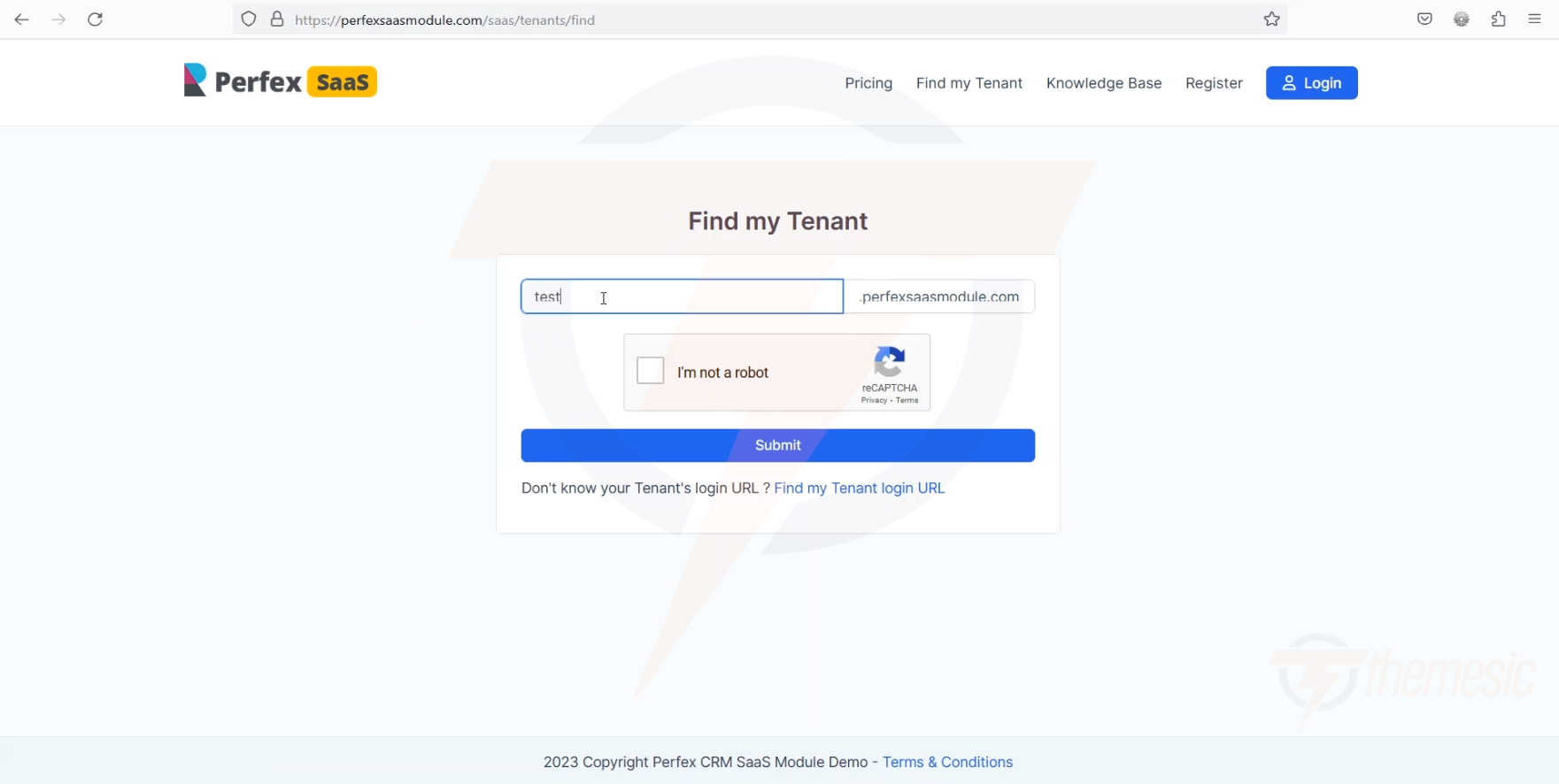
Find My Tenant page
The Find My Tenant page β€” customers enter their email and receive their CRM URL
  1. Customer visits the Find My Tenant page on your platform

  2. They enter the email address they used to register

  3. The system looks up their tenant record

  4. They receive their CRM URL (either displayed on screen or sent via email)

Why This Matters

Without this feature:

  • Customer forgets their URL β†’ Emails you β†’ You look it up β†’ Reply β†’ They log in

  • This takes minutes to hours and creates unnecessary support work

With this feature:

  • Customer forgets their URL β†’ Uses Find My Tenant β†’ Gets URL instantly β†’ Logs in

  • This takes seconds and requires zero support effort from you

circle-info

Support Reduction Tip: Add a direct link to "Find My Tenant" in your email signatures, support page, and landing page footer. The more accessible it is, the fewer "what's my URL?" tickets you'll get.

Where to Find the Feature

The "Find My Tenant" page is automatically available on your platform. It's typically accessible at:

  • yoursite.com/find-my-tenant or

  • Linked from your landing page

You can add a link to it in your landing page navigation using the Landing Page Builder.

circle-check

Last updated