Add-ons & Modules

Learn about the add-ons and modules available for your CRM and how to use them.

Your CRM platform may offer additional add-ons and modules that extend its functionality. These are like apps on your phone β€” each one adds new capabilities to your CRM.

What Are Add-ons?

Add-ons are extra features that can be enabled for your CRM. Depending on your plan, you may have access to different add-ons:

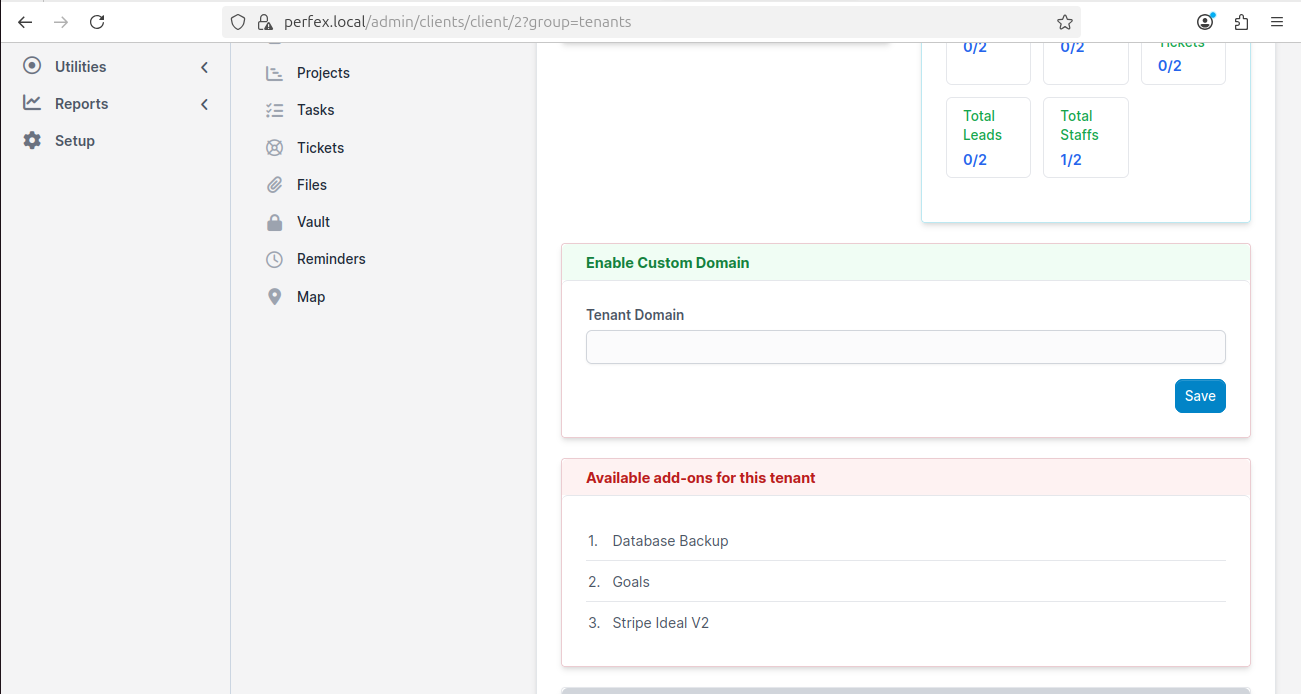
Available add-ons for tenant
Available add-ons for your CRM β€” your platform administrator controls which ones you can access

Common Add-ons

Add-on
What It Does

Database Backup

Create and download backups of your CRM data

Goals

Set business goals and track progress

CSV Export Manager

Export your data to CSV/spreadsheet files

Theme Style

Customize the look and feel of your CRM

Stripe iDEAL V2

Accept iDEAL payments (popular in Netherlands/Europe)

Surveys

Create and send customer surveys

Menu Setup

Customize your CRM sidebar menu

How to Get Add-ons

Add-on availability depends on your subscription plan:

  • Included in your plan β€” Some add-ons are automatically available based on your plan tier

  • Available as extras β€” Some add-ons can be purchased separately

  • Not available β€” Some add-ons are only in higher-tier plans

circle-info

Want an add-on that's not in your plan? Contact your platform administrator! They may be able to enable it individually for your account, or suggest a plan upgrade that includes it.

Using Add-ons

Once an add-on is enabled, it appears in your CRM sidebar or settings. Each add-on works seamlessly within your CRM β€” no additional setup is needed.


Need More Features?

If you need specific functionality that's not currently available:

  1. Check if it's available in a higher plan

  2. Contact your platform administrator to discuss options

  3. Request a custom add-on β€” many platforms can develop custom features

circle-check

Last updated