Plan Details & Usage
Check your current plan, see how much of your quota you've used, and understand when it's time to upgrade.
Understanding your plan and usage helps you get the most out of your CRM. Here's how to check everything.
Viewing Your Plan Details
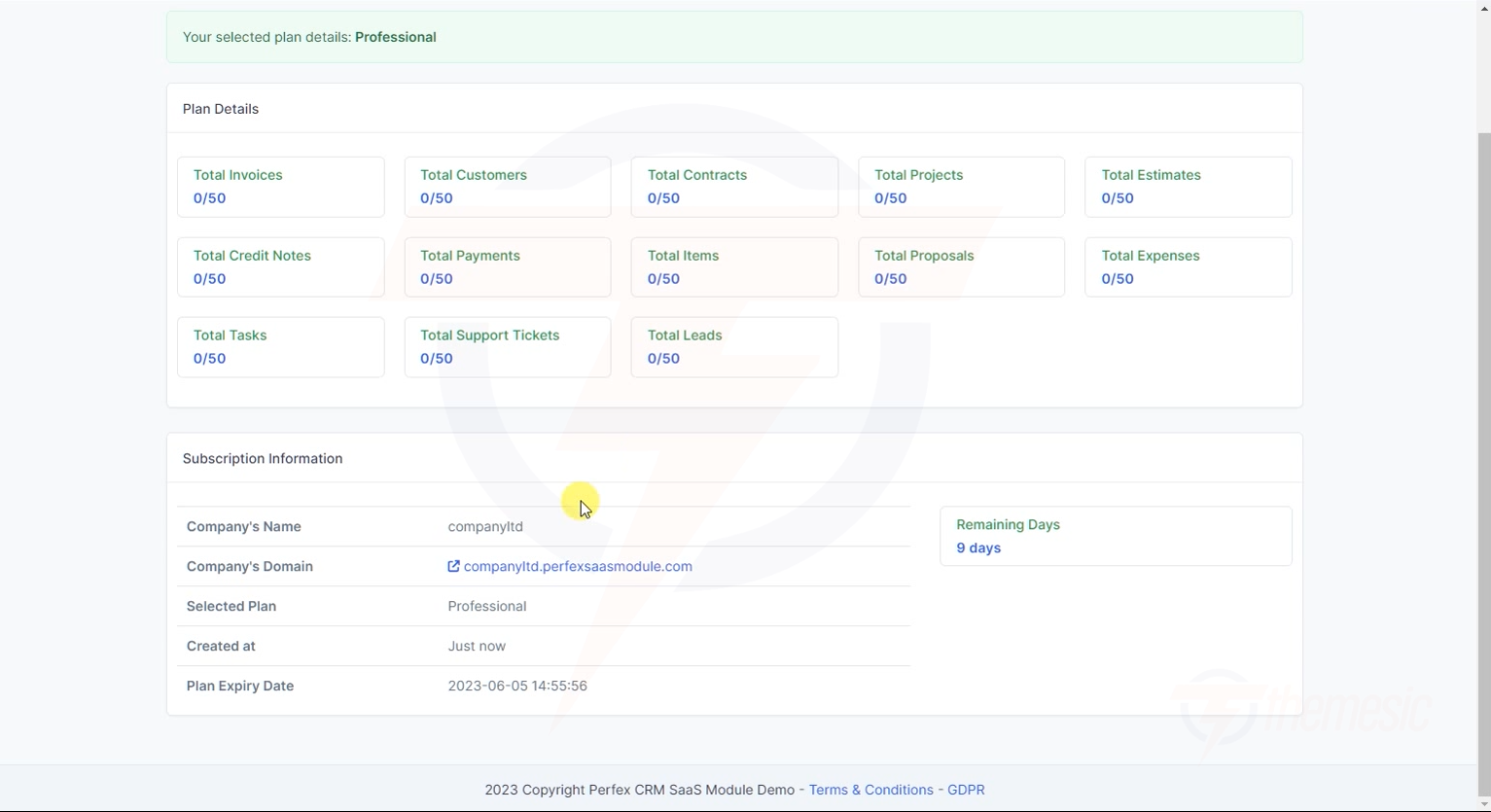
Your plan details are visible in your CRM dashboard. You'll see a SaaS Tenant section that shows everything about your subscription:
Your plan details — see your limits (e.g., 0/50 Customers) and subscription status Understanding Usage Counters
Each plan has limits on how many items you can create. The counters show your current usage / maximum allowed:
You've created 12 customers out of 50 allowed
You've created 45 invoices out of 100 allowed
You've created 3 projects out of 5 allowed
You have 2 staff members and the limit is 2
What Happens When You Hit a Limit?
When you reach the maximum for any resource:
You'll see a notification telling you the limit has been reached
You won't be able to create more of that resource
Your existing data is not affected — nothing gets deleted
You can either delete unused items to free up space or upgrade your plan for higher limits
The name of your current plan
When your account was created
When your current billing period ends
When your next payment will be due
Subscription details — your plan, dates, and domain information Upgrading Your Plan
Want more features or higher limits? Contact your platform administrator to upgrade to a higher-tier plan. When you upgrade:
Your new limits take effect immediately
All your existing data is preserved
You may get access to new modules (depending on the plan)
Billing is adjusted for the remainder of your current cycle
Tip: Many platforms offer annual plans at a discount. Ask about annual pricing to save money!