Customer Dashboard

Understand what your CRM dashboard looks like and what features are available to you as a tenant.

After logging in to your CRM, you'll see your dashboard β€” the central hub for all your business activities. Here's what you can expect.

Your CRM Dashboard

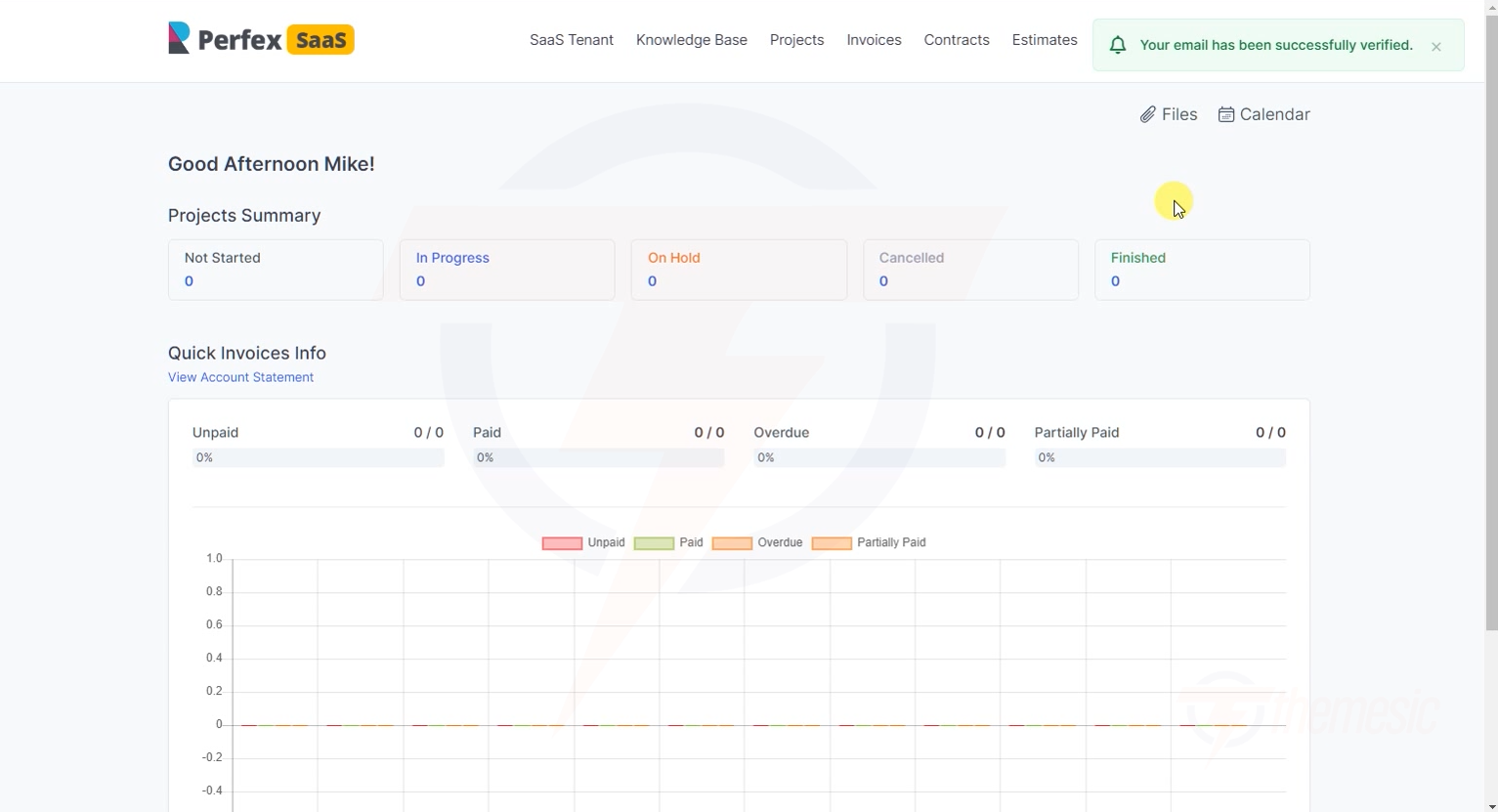
Tenant CRM dashboard
Your CRM dashboard β€” project summaries, invoice overviews, and quick access to all features

Your dashboard shows:

  • Projects Summary β€” Status of your active projects

  • Invoice Overview β€” Pending, paid, and overdue invoices

  • Quick Stats β€” Key metrics at a glance

  • Recent Activity β€” Latest actions and updates

Available Features

Depending on your subscription plan, you'll have access to some or all of these Perfex CRM features:

Feature
What It Does

Customers

Manage your clients and contacts

Invoices

Create and send professional invoices

Estimates

Send quotes and estimates to prospects

Projects

Manage projects with tasks, milestones, and timers

Tasks

Assign and track tasks for your team

Contracts

Create and manage contracts

Proposals

Write and send business proposals

Support Tickets

Manage customer support requests

Leads

Track and convert sales leads

Expenses

Track business expenses

Subscriptions

Manage recurring billing

Credit Notes

Issue credit notes for refunds

Knowledge Base

Create help articles for your clients

Reports

Generate business reports and analytics

circle-info

Can't see a feature? It might not be included in your current plan. Check your Plan Details to see what's included, or contact your platform administrator about upgrading.

Subscription Information

At the bottom of your client area, you can see your subscription details:

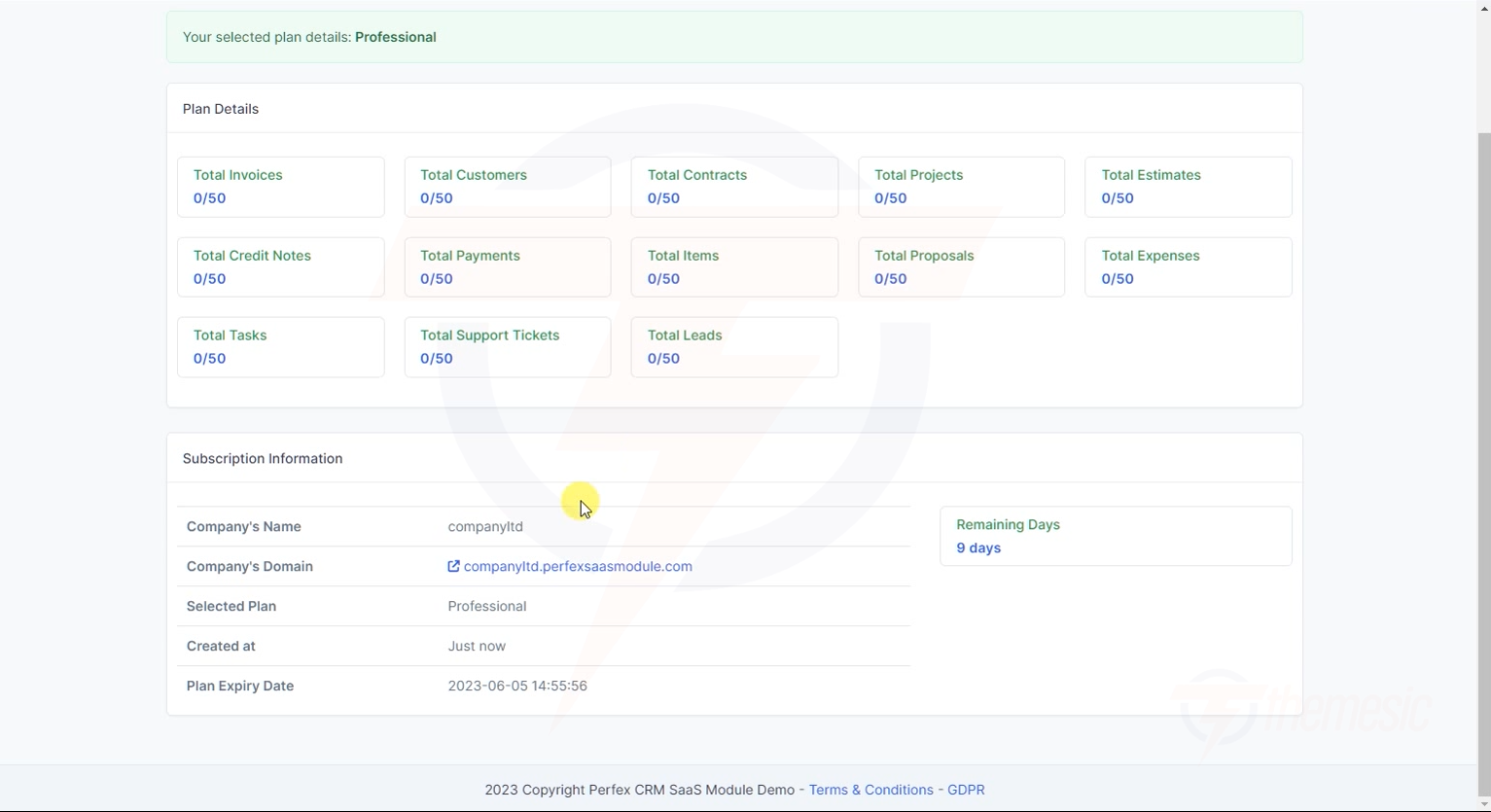
SaaS tenant plan details
Your plan details β€” see your selected plan, usage, and subscription information

This shows:

  • Your current plan name

  • Subscription dates (start, expiry, next invoice)

  • Usage limits β€” how much of your plan quota you've used

For more details, see Plan Details & Usage.

Last updated