Control which Perfex CRM modules each subscription plan can access. This creates powerful feature-based plan differentiation.
Module Access Control lets you choose which Perfex CRM modules are available to each subscription plan. This means you can offer basic modules in your Starter plan and unlock premium modules in higher plans — a proven strategy for driving upgrades.
How It Works
When you create or edit a plan, you'll see an "Allowed Modules" section. Here, you can check/uncheck which modules tenants on this plan can access.
Check the modules you want to include in each plan. Unchecked modules won't be visible to tenants on this plan.
What Happens When a Module Is Disabled?
When you uncheck a module for a plan:
The module disappears from the tenant's sidebar menu
Tenants cannot access that module's features
Existing data in that module is preserved (not deleted) — if they upgrade later, their data comes back
Warning: If you disable access to a module, all related files will be deleted for that tenant. This action can't be undone. The warning appears when you configure modules, so read it carefully.
Available Modules
The screenshot below shows the default core modules that ship with Perfex CRM itself. These are not part of the SaaS module — they are built-in Perfex CRM modules that our SaaS module lets you control access to:
Module
What It Does
CSV Export Manager
Export data to CSV files
Database Backup
Backup tenant's database
Goals
Set and track business goals
Menu Setup
Customize the CRM sidebar menu
Stripe iDEAL V2
Accept iDEAL payments (popular in Netherlands)
Surveys
Create and manage surveys
Theme Style
Customize the CRM appearance
ALL third-party modules are fully supported! Any Perfex CRM module you install — whether it's from CodeCanyon, a third-party developer, or custom-built — will automatically appear in the Allowed Modules list. There are no exceptions. If it works with Perfex CRM, it works with our SaaS module. This means you can install hundreds of available Perfex CRM add-ons and control access to each one on a per-plan basis.
Module Strategy by Plan
Here's a recommended module strategy:
Starter Plan (Low Price)
Include only the essentials:
✅ Core CRM features (these are always available)
❌ Database Backup
❌ CSV Export Manager
❌ Goals
❌ Premium add-ons
Professional Plan (Mid Price)
Include most modules:
✅ Everything in Starter
✅ Goals
✅ CSV Export Manager
✅ Theme Style
❌ Database Backup (keep for Enterprise)
Enterprise Plan (High Price)
Include everything:
✅ ALL modules enabled
✅ Database Backup
✅ Any premium add-ons
Add-ons Per Tenant
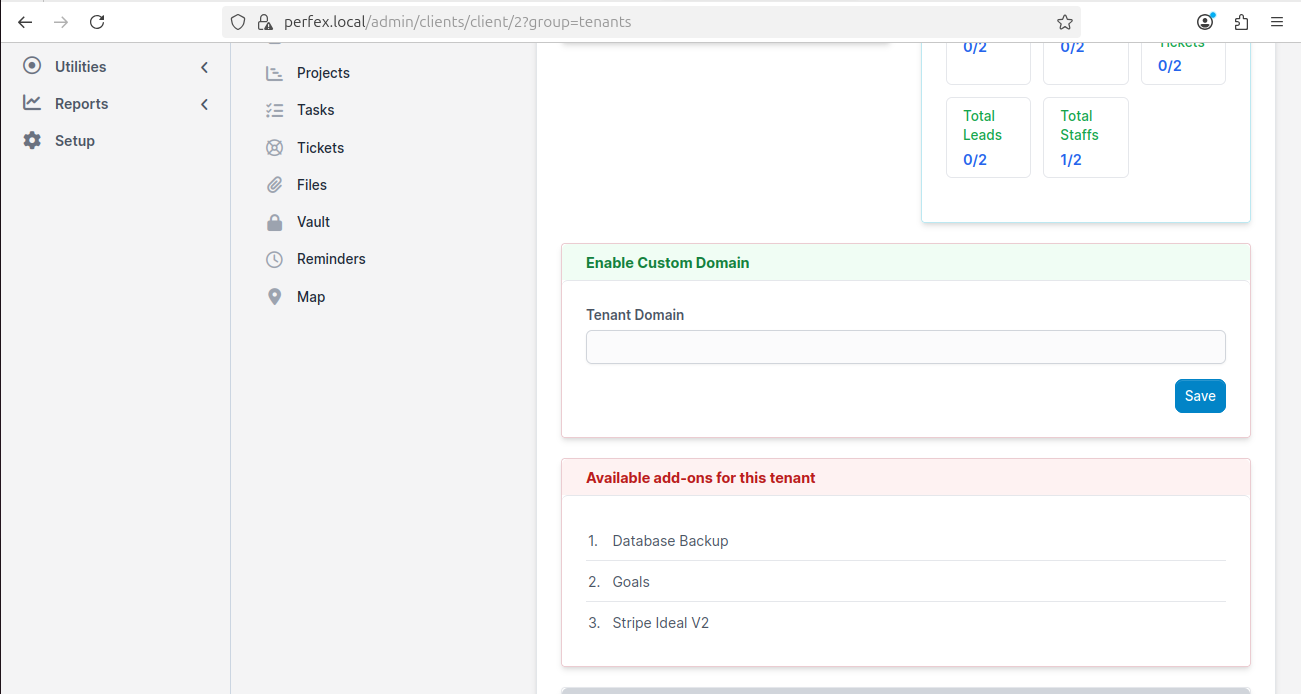
In addition to plan-level module control, you can also enable specific add-ons for individual tenants. This is useful when a customer needs one specific module but doesn't want to upgrade their entire plan.
You can enable specific add-ons for individual tenants — like Database Backup, Goals, or Stripe iDEAL V2
To enable add-ons for a specific tenant:
Go to Customers in your admin panel
Click on the tenant
Scroll down to "Available add-ons for this tenant"
Click on the add-on to enable it
Upsell Opportunity: Offer individual add-ons as paid extras! For example, charge $5/month for the Database Backup module as an add-on for Starter plan users. This creates a new revenue stream without requiring a full plan upgrade.
Modules configured? Now set up your customer-facing Landing Page to start attracting signups!