Set resource quotas for each plan to control how much tenants can use. This is how you create meaningful plan differentiation.
Usage limits (also called "quotas") let you control exactly how much each tenant can use based on their plan. This is one of the most powerful features of the SaaS module β it lets you create meaningful differences between your pricing tiers.
What Can You Limit?
Here are all the resources you can set limits on:
Resource
What It Controls
Example Limit
Customers
Maximum number of customers/clients a tenant can create
50, 200, Unlimited
Invoices
Maximum number of invoices
100, 500, Unlimited
Projects
Maximum number of projects
5, 25, Unlimited
Staff Members
Maximum number of staff/team members
2, 10, Unlimited
Estimates
Maximum number of estimates/quotes
50, 200, Unlimited
Contracts
Maximum number of contracts
10, 50, Unlimited
Tasks
Maximum number of tasks
100, 500, Unlimited
Leads
Maximum number of leads
50, 200, Unlimited
Proposals
Maximum number of proposals
20, 100, Unlimited
Expenses
Maximum number of expenses
50, 200, Unlimited
Tickets
Maximum number of support tickets
50, 200, Unlimited
Credit Notes
Maximum number of credit notes
20, 100, Unlimited
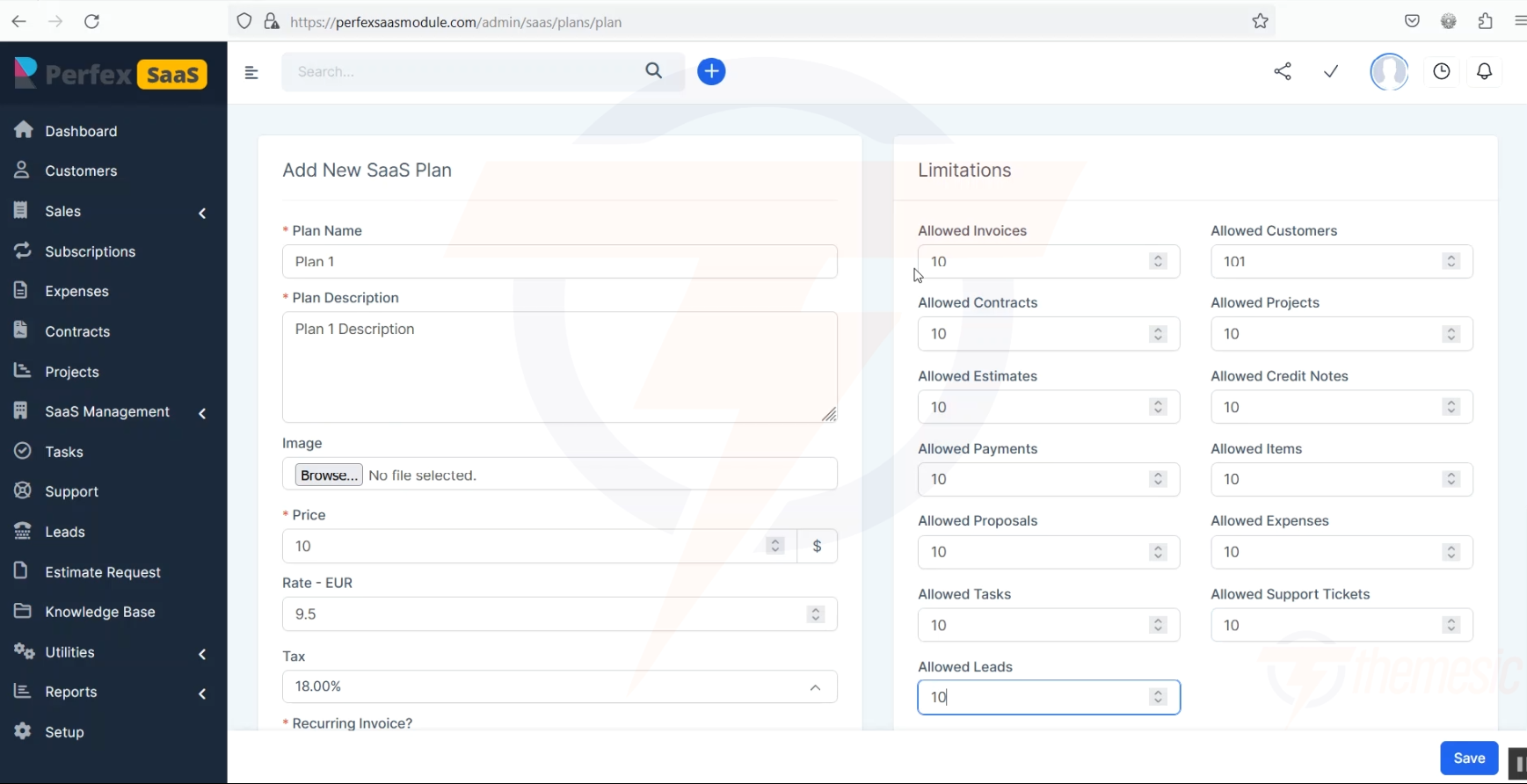
Set specific limits for each resource when creating or editing a plan
How to Set Limits
Go to SaaS Management β Plans
Click on a plan to edit it (or create a new one)
In the Limitations section, set the maximum for each resource
Enter 0 for unlimited (no restriction)
Click Save
How Limits Work in Practice
When a tenant reaches their limit, here's what happens:
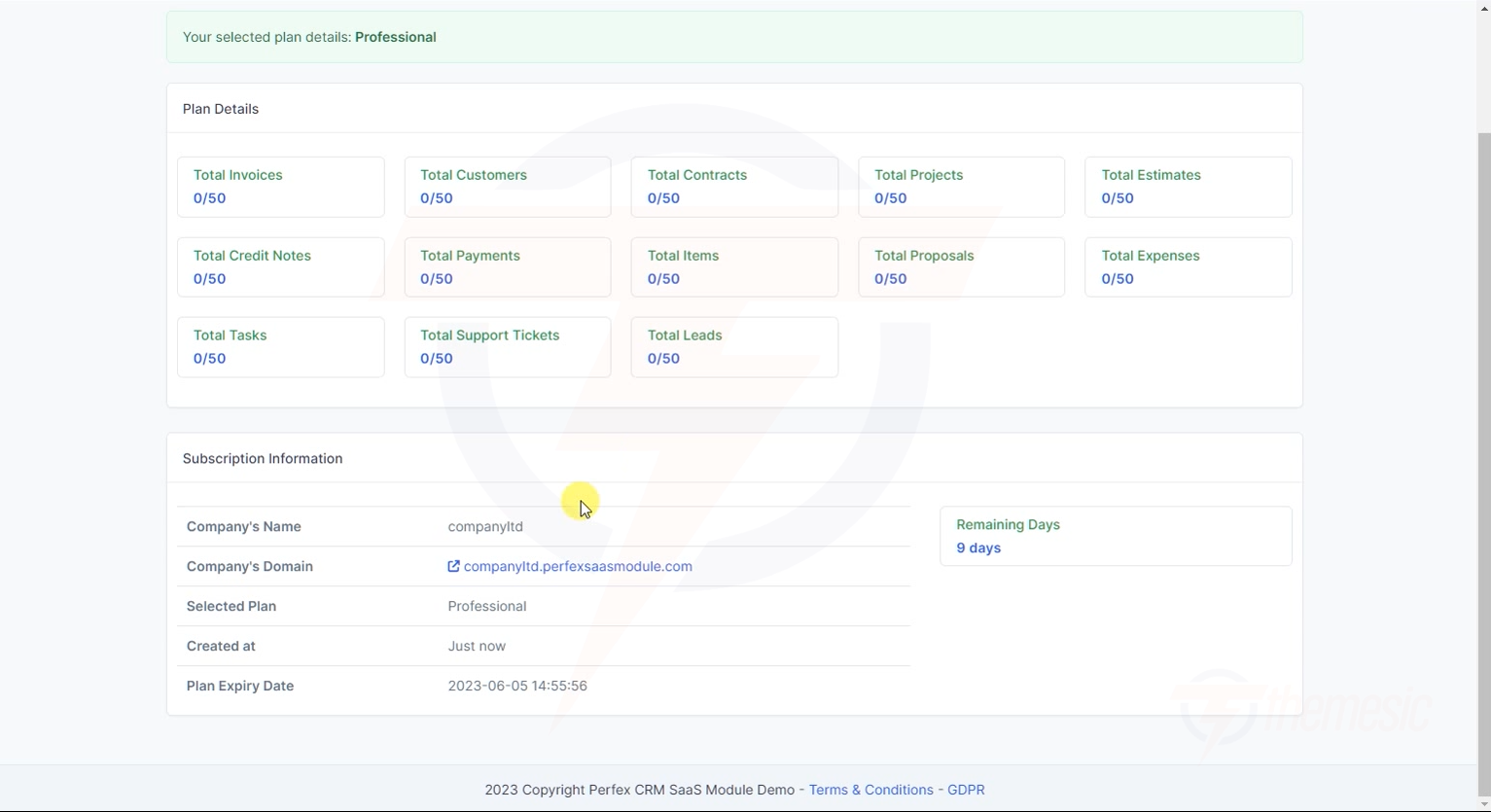
Tenants can see their current usage on their dashboard:
Tenants can see exactly how much of their plan quota they've used β like "0/50 Customers"
Best Practices for Setting Limits
Starter Plan
Set limits that are generous enough to be useful but restricted enough to encourage upgrading:
Pricing Psychology: The gap between Starter and Professional should feel like a massive upgrade. The gap between Professional and Enterprise should feel like "peace of mind" (unlimited everything). This pushes most customers to the Professional plan β exactly where you want them.
Monitoring Usage
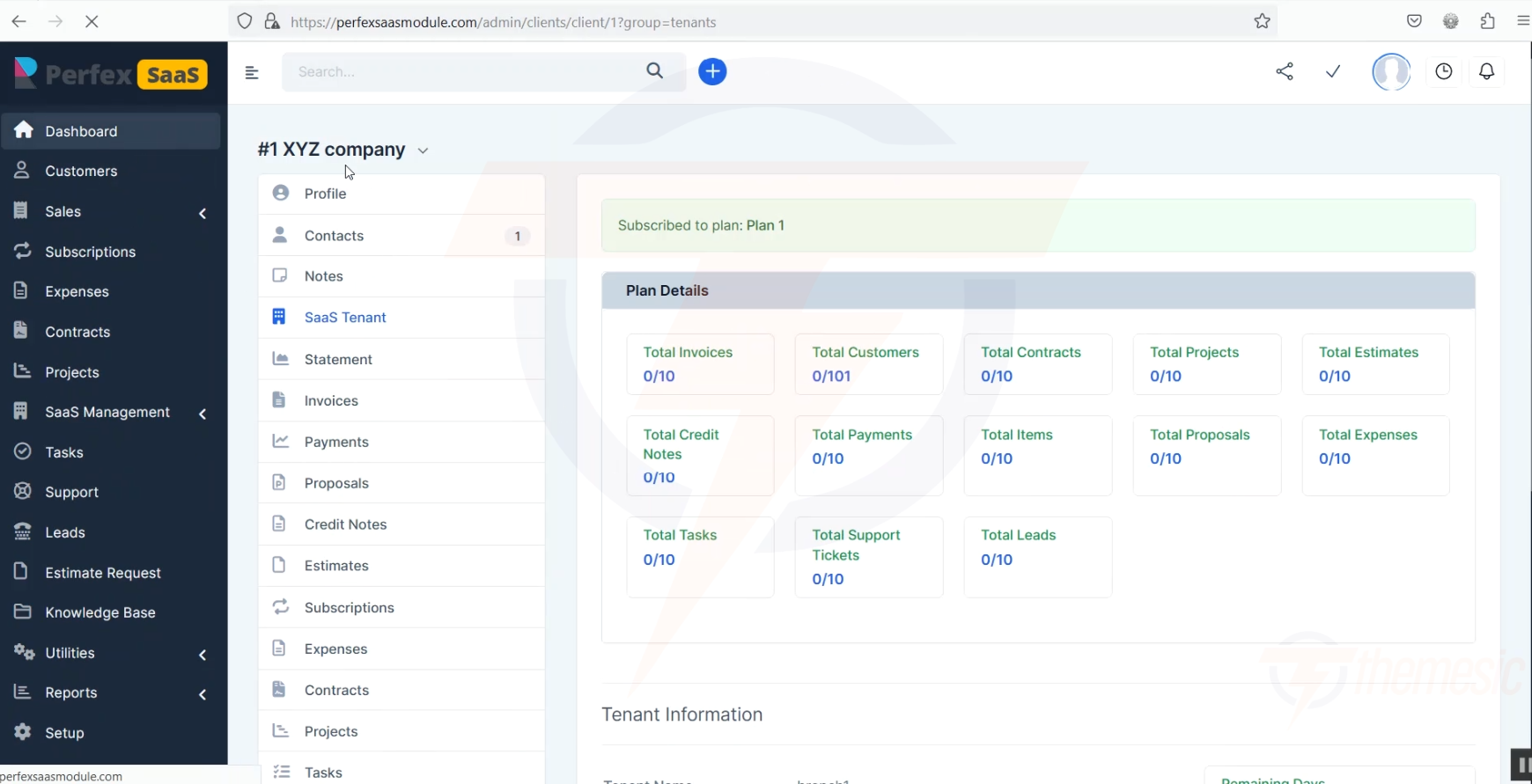
As an admin, you can monitor each tenant's usage:
Go to Customers in your admin panel
Click on a tenant/client
Go to the SaaS Tenant tab
You'll see their current usage vs. their plan limits
Admin view showing a tenant's plan details and resource usage β Total Customers: 0/2, Total Invoices: 0/2, etc.
Limits configured? Now control which Perfex modules each plan can access in Module Access Control.
Tenant on "Starter" plan (50 customer limit)
βββ Has created 49 customers β Can create 1 more β
βββ Has created 50 customers β Limit reached! β
β βββ Tenant sees a message: "You've reached your plan limit"
β βββ They need to upgrade to a higher plan
βββ Admin (you) can see their usage in the tenant dashboard